AxelaNote Review 2026: The Best PDF Annotation Tool for Professionals and Teams
Introduction: Why Smart Note-Taking Matters More Than Ever
In today’s knowledge economy, the ability to capture, organize, and retrieve information quickly is no longer a convenience — it is a competitive advantage. Whether you are a lawyer reviewing contracts, an engineer annotating blueprints, a student working through research papers, or a project manager coordinating team feedback, the tools you use to manage documents directly impact your productivity.
Yet most professionals still struggle with the same fundamental problems: notes scattered across multiple apps, PDF files that cannot be annotated, multiple conflicting document versions, and hours lost just trying to find the right file.
AxelaNote was built to solve exactly these problems. In this comprehensive guide, we will cover everything you need to know — what AxelaNote is, how it works, who it is for, what it costs, and how it stacks up against the competition.
What Is AxelaNote?
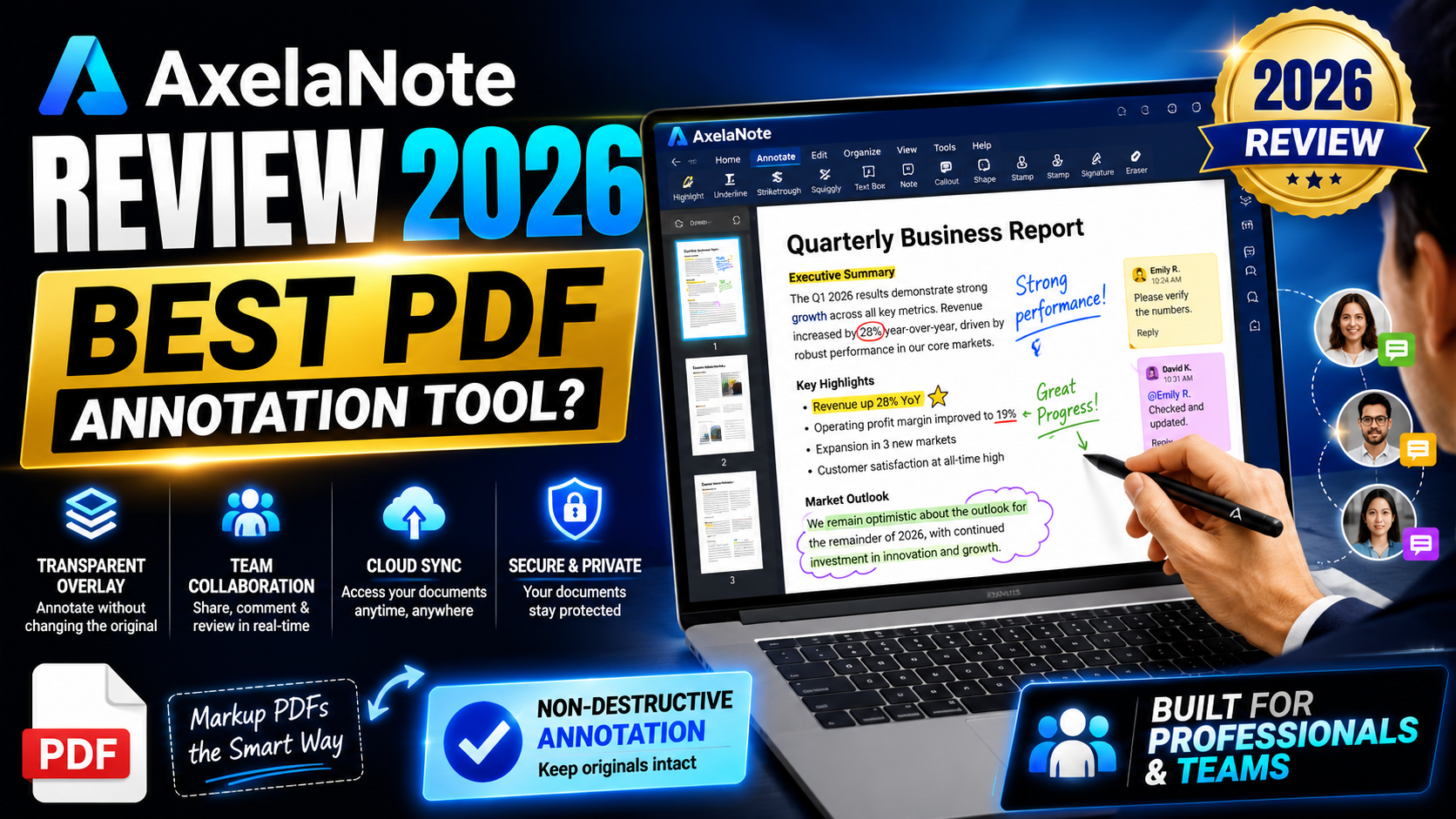
AxelaNote is a professional PDF annotation and document management tool designed for individuals, students, and teams who work with digital files every day. At its core, AxelaNote places a transparent digital overlay on top of any PDF, allowing users to write, draw, highlight, and annotate freely — without ever touching or modifying the original document.
This non-destructive approach is what separates AxelaNote from conventional note-taking apps. Your source file remains completely intact, while your notes, comments, and drawings live in a separate, manageable layer on top.
AxelaNote works on all PDFs, including those protected by editing and printing restrictions — a critical distinction that immediately sets it apart from tools like Adobe Acrobat, OneNote, or Evernote.
The Core Problem AxelaNote Solves
Before exploring features, it is worth understanding the specific pain points AxelaNote addresses. These are problems virtually every professional and student faces.
1. Information Fragmentation
Most people store their notes across several apps. Meeting notes go into one tool, research into another, reference PDFs somewhere else entirely. When you need to pull everything together for a deadline, you cannot — and time is wasted hunting through multiple platforms.
AxelaNote keeps all annotations linked directly to the source document. Context is never lost because your notes live exactly where they belong: on the document they refer to.
2. PDF Restriction Barriers
Receiving a secured PDF — one where editing and printing are disabled — is extremely common in legal, academic, government, and corporate settings. Traditional tools fail here. You cannot highlight key clauses, add questions for a colleague, or mark up the document with your analysis.
AxelaNote’s overlay system bypasses this limitation entirely. Because the annotation layer sits on top of the file rather than inside it, security restrictions are irrelevant. You annotate freely without violating the document’s integrity or its creator’s security settings.
3. Version Control Chaos
When a document goes out via email for collaborative feedback, the result is predictable: five people each send back their own edited copy, and nobody knows which version is authoritative. Reconciling multiple conflicting files wastes hours.
AxelaNote solves this by keeping all feedback in a single document, with each contributor’s notes placed in separate, color-coded layers. Everyone can see every comment without creating duplicate files.
4. Cognitive Load and Lost Context
Saving a note in a separate app disconnects it from the document it refers to. Later, you remember making a note but cannot remember where you saved it, what file it was about, or what you were trying to capture. AxelaNote eliminates this by anchoring notes to the precise location in the document where they were made.
5. Inefficient Document Review
In professional environments, document review is one of the most time-consuming tasks that exists. A 2026 government pilot program in Japan using annotation tools like AxelaNote is targeting a 30% reduction in document checking time — a significant productivity gain in industries where document review happens dozens of times per day.
Key Features of AxelaNote
Non-Destructive Annotation Overlay
The foundation of AxelaNote is its overlay system. Every note, highlight, drawing, or label you add exists on a separate layer above the original document. The source file is never altered. You can hide your annotations, share them independently, or remove them entirely without affecting the underlying PDF.
This approach means you always have a clean original to fall back on, and you can share annotated versions without permanently modifying documents you do not own.
Full Support for Restricted PDFs
AxelaNote works on every PDF you can open — regardless of whether editing, printing, or copying is disabled by the document creator. This is essential in legal, government, academic, and corporate settings where secured documents are the norm. No other leading note-taking app offers this capability at this level.
Optimized Stylus and Handwriting Input
AxelaNote is engineered specifically for stylus use. Handwriting, freehand drawings, and diagrams render cleanly and naturally, making it ideal for pen-enabled devices such as the Microsoft Surface Pro or Wacom tablets. Mouse input is fully supported as well, but the stylus experience is where AxelaNote genuinely shines.
For fields like engineering, architecture, medicine, and education — where hand-drawn annotations are part of daily work — this is a critical feature that generic note-taking tools simply do not offer.
Annotation Layer Management
One of AxelaNote’s most powerful features for teams is its layer system. You can create multiple annotation layers on the same document, assign different colors to each layer, and show or hide them independently.
In practice, this means a project manager can keep client feedback in one layer, internal team comments in another, and legal review in a third — all within the same file, all neatly organized, and never mixed together. This is fundamentally different from how tools like OneNote or Notion handle shared documents.
Automatic Sequential Numbering
For workflows that require labeling items in order — inspections, audits, legal references, research citations — AxelaNote includes automatic numbering. Sequential labels are added quickly and accurately without the manual effort and errors that come from doing this by hand.
CSV Data Export
For researchers, analysts, and quality assurance teams, AxelaNote allows annotation data to be exported as a structured CSV file. This means your annotations can be analyzed in spreadsheet software, integrated into reports, or fed into data pipelines — a feature completely absent from traditional note-taking tools.
System Requirements
AxelaNote runs on Windows 10 and Windows 11. Here is a full breakdown of technical requirements:
| Component | Minimum | Recommended |
|---|---|---|
| Operating System | Windows 10 | Windows 11 |
| Processor | Intel Atom x7-Z8700 | Intel Core i5 |
| Memory (RAM) | 4 GB | 8 GB |
| Display Resolution | 1280 × 1024 | Higher |
| PDF Software | Acrobat Reader DC or 2017 | — |
| Internet | Required (license verification) | — |
Additional notes:
- Works with mouse or stylus input
- Pen-enabled devices (Surface Pro, Wacom) provide the best handwriting experience
- Supports multi-monitor setups
- Handles pages up to 1 square meter
- Supports documents up to 500 pages
- Each page supports up to 2,000 annotation objects
AxelaNote Pricing Plans
AxelaNote uses an annual subscription model with two licensing options, plus a 30-day free trial with no commitment required.
| License Type | Price (USD) | Price (JPY) | Best For |
|---|---|---|---|
| User License | $25.50 / year + tax | ¥3,900 / year + tax | Individuals and personal use |
| Device License | $35.37 / year + tax | ¥5,400 / year + tax | Labs, classrooms, and shared devices |
User License covers one person’s computer, laptop, and home devices under a single plan — ideal for professionals who work across multiple personal devices.
Device License is designed for shared environments like computer labs, training rooms, and 24-hour operations where different people use the same machines at different times.
At under $26 per user per year, AxelaNote is extremely cost-competitive — especially when you consider the time savings from faster document review and eliminated version control problems.
AxelaNote vs. Traditional Note-Taking Tools: A Full Comparison
How does AxelaNote measure up against the tools most professionals already use? Here is a direct, feature-by-feature comparison.
| Feature | AxelaNote | OneNote / Notion / Evernote |
|---|---|---|
| PDF Annotation | Full overlay on any PDF, including restricted files | Basic or no annotation; restricted PDFs cannot be marked up |
| Original File Safety | Source file is never modified | Tools may embed or alter the original |
| Stylus Support | Optimized for natural handwriting | Basic or absent |
| Annotation Layer Management | Multiple color-coded layers per document | Not available |
| CSV Data Export | Export annotations as structured spreadsheet data | Not available |
| Version Control | All feedback stays in one document | Relies on file history or manual tracking |
| Team Collaboration | Notes separated by layer in one file | Real-time editing without annotation layering |
| Annual Cost per User | From $25.50 | Free tiers available; paid plans from $8–$14.99/month |
The key takeaway: AxelaNote is not trying to be a general-purpose note-taking app. It is built specifically for document-centric workflows — and in that context, it offers capabilities that OneNote, Notion, and Evernote simply do not have.
Who Should Use AxelaNote?
Legal Professionals
Lawyers regularly receive confidential documents they cannot modify. AxelaNote allows them to add private annotations, highlight key clauses, and flag questions — all without altering the original file. When documents are shared with colleagues, each person’s notes can stay in their own layer, keeping work organized and confidential.
Engineers and Architects
Design teams annotate blueprints, schematics, and technical drawings. With AxelaNote, original plans stay unchanged, updates automatically carry annotations forward, and team members can add their own layers of comments without overwriting each other’s work.
Academics and Researchers
Students and researchers annotating academic PDFs benefit enormously from notes that stay searchable and linked to their source documents. When writing papers or preparing presentations, finding both the original research and your analysis is instant. The CSV export feature also allows researchers to compile annotation data for systematic reviews.
Project Managers
Collecting feedback from multiple stakeholders is one of the most chaotic parts of project management. AxelaNote’s layer system allows each team — design, legal, finance, operations — to add their comments to a single document in separate, color-coded layers. No more reconciling five different email attachments.
Corporate Trainers
Trainers can provide participants with digital handouts that employees annotate directly during sessions, creating a personalized reference document that stays useful long after the training ends.
Medical Professionals
Clinicians reviewing patient records, research papers, or clinical guidelines can add private notes to documents without creating multiple copies or risking modification of official records.
Real-World Results: The Japanese Government Pilot
One of the most compelling data points supporting AxelaNote comes from a real-world deployment. In 2026, a Japanese government project testing annotation-based document review workflows is targeting a 30% reduction in document checking time.
For government agencies — where document review is a daily, high-volume activity — a 30% time reduction translates to significant cost savings and faster decision-making. For businesses, the same efficiency gain means more time spent on value-generating work.
How AxelaNote Handles Collaboration
Traditional collaboration on PDFs is painful. The standard workflow — email a file, collect edits, reconcile versions — breaks down the moment two people respond with different changes.
AxelaNote changes the model. Instead of distributing multiple copies, teams work with a single document. Each contributor adds their feedback to their own color-coded annotation layer. A project lead can see every comment without confusion about who said what, and no duplicate files are created.
This approach is particularly valuable in high-stakes environments — legal review, regulatory compliance, technical audits — where document integrity and a clear audit trail matter.
Getting Started with AxelaNote
Starting with AxelaNote is low-risk thanks to the 30-day free trial. No credit card details are required upfront, and the trial gives you full access to evaluate the tool against your actual workflow.
To get the most out of AxelaNote:
- Use it with a pen-enabled device if you have one. The Surface Pro and Wacom tablet experiences unlock the full potential of the handwriting and drawing features.
- Set up color-coded layers early for any team projects to keep different contributors’ notes organized from the start.
- Try the CSV export if you work with data or need to compile annotation findings into reports.
- Test it on a restricted PDF — this is often the moment when users realize how much time they have been wasting printing documents just to annotate them.
Frequently Asked Questions
Does AxelaNote modify my original PDF? No. AxelaNote places a separate annotation layer on top of the original file. The source document is never changed, regardless of what you annotate.
Can I annotate PDFs with editing restrictions? Yes. Because annotations exist on an overlay rather than inside the file, PDF security settings have no effect on what you can add.
Does AxelaNote work without the internet? An internet connection is required for license verification. Once verified, standard annotation work does not require a continuous connection.
What input devices does AxelaNote support? AxelaNote works with a standard mouse, but stylus input on pen-enabled devices like the Microsoft Surface Pro or Wacom tablets gives the best handwriting and drawing experience.
Is there a free trial? Yes — AxelaNote offers a 30-day free trial.
What is the difference between a User License and a Device License? A User License is tied to one person and covers their personal devices. A Device License is tied to a specific machine, making it suitable for shared computers in labs, classrooms, or training rooms.
Conclusion: Is AxelaNote Worth It?
For professionals who regularly work with PDFs, deal with restricted documents, collaborate on document review, or need annotations that stay organized and searchable, AxelaNote delivers genuine value that general-purpose note-taking tools cannot match.
Its overlay system is the central innovation: non-destructive, compatible with restricted PDFs, and flexible enough to support complex multi-layer collaboration workflows. The CSV export, automatic numbering, and stylus optimization are features built for real professional use cases — not just casual note-taking.
At $25.50 per user per year, the pricing is accessible, and the 30-day free trial removes any risk from evaluating it against your own workflows.
If your work involves documents — and whose doesn’t — AxelaNote is worth serious consideration.
Try AxelaNote free for 30 days and see how much time you save on your next document review cycle.